
- Default IP
- 192.168.1.1
- Wi‑Fi
- Wi-Fi 6
- Speed
- 5400 Mbps

Netgear routers
Netgear router login, default IP and setup guides
Log into your Netgear router with the correct default IP, username, and password. Many Netgear models use 192.168.1.1 or routerlogin.net on the local network. Browse models below for factory credentials. Need a wipe? See how to reset a Netgear router.
- Models listed
- 10
Netgear router models
Select your model for default login details and setup guides.

- Default IP
- 192.168.1.1
- Wi‑Fi
- Wi-Fi 7
- Speed
- 6500 Mbps

- Default IP
- 192.168.1.1
- Wi‑Fi
- Wi-Fi 7
- Speed
- 9300 Mbps

- Default IP
- 192.168.1.1
- Wi‑Fi
- Wi-Fi 7
- Speed
- 12000 Mbps

- Default IP
- 192.168.1.1
- Wi‑Fi
- Wi-Fi 7
- Speed
- 19000 Mbps
- Default IP
- 192.168.1.1
- Wi‑Fi
- Wi-Fi 7 Mesh
- Speed
- 5000 Mbps

- Default IP
- 192.168.1.1
- Wi‑Fi
- Wi-Fi 7 Mesh
- Speed
- 11000 Mbps

- Default IP
- 192.168.1.1
- Wi‑Fi
- Wi-Fi 7 Mesh
- Speed
- 21000 Mbps
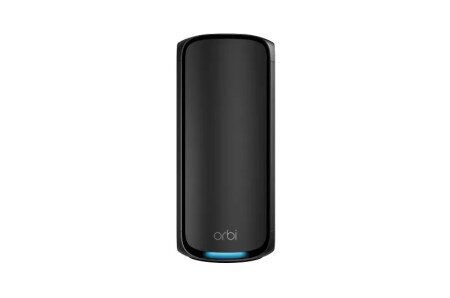
- Default IP
- 192.168.1.1
- Wi‑Fi
- Wi-Fi 7 Mesh
- Speed
- 27000 Mbps

- Default IP
- 192.168.1.1
- Wi‑Fi
- Wi-Fi 6E
- Speed
- 10800 Mbps
Setup & login help
How to log into any router, understand gateway IPs, and fix admin pages that will not load.
-
Wifi
How to Find Your Wi-Fi Password (Any Device)
Find or reset your Wi-Fi password on iPhone, Android, Windows, Mac, or from the router admin page. Includes Xfinity and forgot-password tips.
-
Wifi
How to Change Your Wi-Fi Password on Any Router
Change your Wi-Fi password from the router admin page. Steps that work across brands, plus Xfinity tips and what to do after you save.
-
Security
How to See and Block Devices Connected to Your Router
View every device on your Wi-Fi, spot unknown MAC addresses, and block unwanted clients from the router admin page.
-
Wifi
How to Set Up a Guest Wi-Fi Network on Your Router
Create a guest Wi-Fi network so visitors stay off your main devices. Steps, security tips, and when to use a second SSID.
-
Troubleshooting
Wi-Fi Connected but No Internet: Fixes That Work
Fix the “connected without internet” problem. Check WAN, DNS, ISP outages, and router settings step by step.
-
Security
How to Protect Your Home Wi-Fi from the Router Settings
Practical Wi-Fi security checklist: strong passwords, WPA2/WPA3, guest network, WPS off, firmware updates, and device reviews.
Explore related resources
Jump between tools, gateway IP guides, and brand setup pages without guessing URLs.